
Two games, one shared name
Google Color Tiles vs. Color Tiles Game
These are not two difficulty modes. Google Color Tiles is a 20-level sliding puzzle, while the classic Color Tiles Game is a timed line-of-sight matching puzzle played on one 23 x 15 board.
Choose Google Color Tiles for spatial planning and level progression. Choose the classic game for rapid visual scanning and a strict two-minute challenge.
At a glance
The Rules Change From the First Move
| Comparison | Google Color Tiles | Classic Color Tiles |
|---|---|---|
| Core action | Slide every movable tile | Click one empty cell |
| A match | 4+ connected tiles of one color | 2-4 matching nearest endpoints |
| Structure | 20 levels with larger boards | One randomized 23 x 15 board |
| Main limit | Moves, blockers, and one Undo | 120 seconds; a miss costs 10 seconds |
| Win condition | Complete all 20 levels | Clear all 200 tiles |
| Best input | Arrow keys, WASD, or swipe | Mouse or touch |
See the boards
What Each Color Tiles Game Asks You to Do
Sliding puzzle
Google Color Tiles
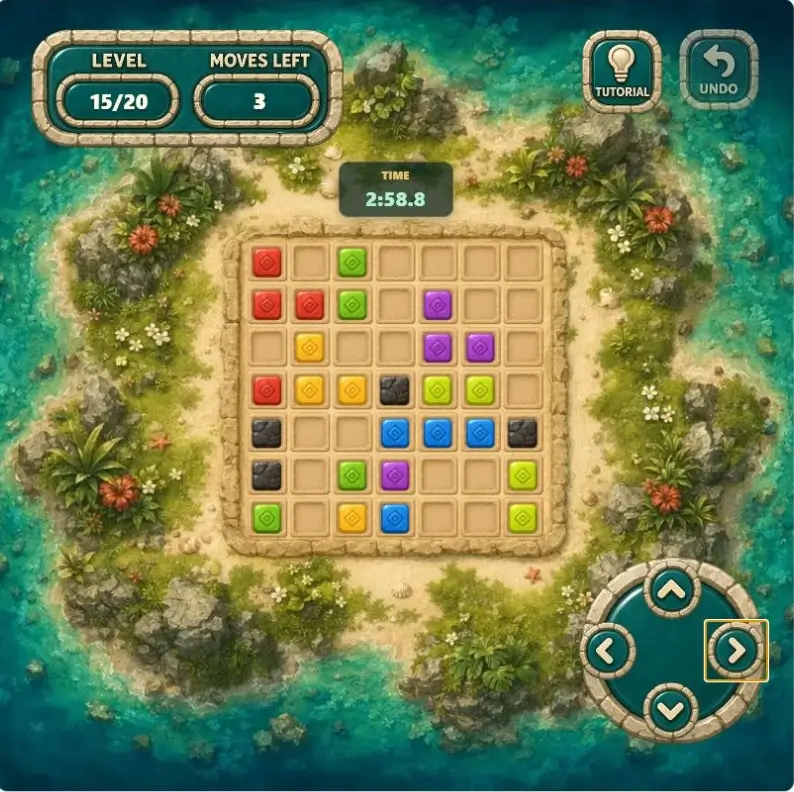
Each arrow press moves the whole board. Your job is to compress matching tiles into groups of four or more while fixed stone blockers split the board into lanes. Clearing a group earns a move back, so efficient routes can carry a run through all 20 levels.
Play Google Color TilesLine-of-sight puzzle
Classic Color Tiles Game
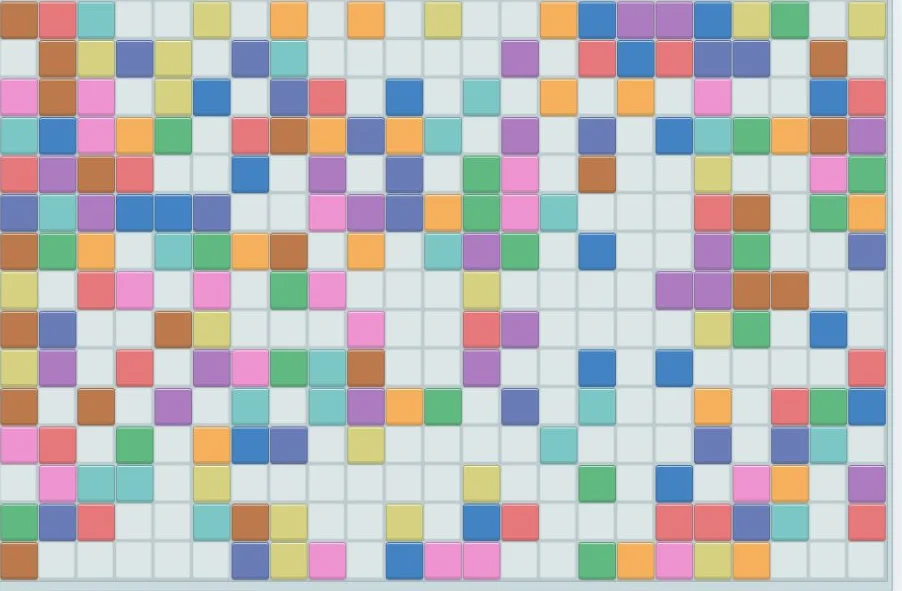
Click an empty square and the game looks outward until it finds the nearest tile in each direction. If at least two endpoints share a color, those matching tiles disappear. Every opening changes the lines available for the next click, and a failed attempt costs ten seconds.
Play Classic Color TilesDecision by decision
The Four Biggest Gameplay Differences
Move the board or choose a cell
Google Color Tiles makes each direction a global decision: every movable tile tries to shift at once. In the classic game, the board stays fixed. Your decision is which empty cell has the best view in four directions.
Build groups or read sight lines
The sliding game clears a color when four or more matching tiles connect horizontally or vertically. The classic game ignores adjacency. It checks the nearest visible tile above, below, left, and right, then clears colors repeated across those endpoints.
Protect moves or protect time
Sliding Color Tiles rewards routes that complete a group before the move count runs out, because a clear restores a move. Classic Color Tiles rewards verification before speed: an empty-cell click with no repeated color removes ten seconds immediately.
Progress through levels or solve one board
Google Color Tiles grows from a compact 3 x 3 lesson to 7 x 7 boards with fixed blockers. The classic version begins with all ten colors on a single large randomized board, and every clear opens new lines through that same layout.
Choose your puzzle
Which Color Tiles Game Should You Play?
Play Google Color Tiles if you...
- like planning several moves around fixed obstacles;
- want a clear 20-level progression;
- prefer keyboard arrows, WASD, or swipe controls;
- want to compare complete run times on a leaderboard.
Play Classic Color Tiles if you...
- enjoy scanning rows and columns for visual patterns;
- want a new randomized board each time;
- prefer direct mouse or touch decisions;
- like a short challenge with immediate time pressure.
Both games reward looking before acting, but the mental model is different. In the sliding game, predict where every tile will stop. In the classic game, verify the four nearest endpoints before choosing an empty cell. Playing one will not teach the other game's rules, so the fastest way to understand the difference is to try one round of each.